


What is Overwolf, can you get banned for it in Dota 2?
Overwolf is a software platform designed to help developers create extensions for video games. In this application you can find many addons for various games, including an extension for Dota 2 called Dota Plus.
What extensions can get you banned for
Overwolf 's Dota Plus complies with Valve's rules and your account will not be banned for using it. However, this extension has a lot of clones, among them programs with cheats and skinchangers. The most popular Dota Plus twin is the OverPlus program. For its use, the developers of Dota 2 began to actively ban players in February 2024. Also, with a high probability, you will get banned for using any programs that modify the game files.
What features are available in the Dota Plus expansion
To combat OverPlus users, Valve made some changes to the draft stage in update 7.35d (now you don't get information about player profiles until the end of picks and you can't ban heroes during the draft), which negatively affected the features of the Dota Plus addon. At the draft stage, this extension has become almost useless - now you can only see what roles are selected for the enemy team's players in the ranked roles. Other information will be hidden until the draft is over.

Player information available during a match (also available when watching a “replay” or a live game):
- Profile picture, Nickname, and Rank (pro players have their nickname highlighted in blue and checkmark, and ranks can be seen even in unranked games, such as Turbo mode);
- Number of games on the account and winrate;
- Whether you have met this player before (you'll also see when it happened, which hero he played, which hero you played, whether he were on your team or the enemy team, and the match result);
- Recent match stats: number of matches and winrate (hovering over this will show you the average KDA, GPM and XPM), preferred role, lane and heroes;
- Player's stats on the hero he has picked: number of matches, winrate, preferred role and lane.
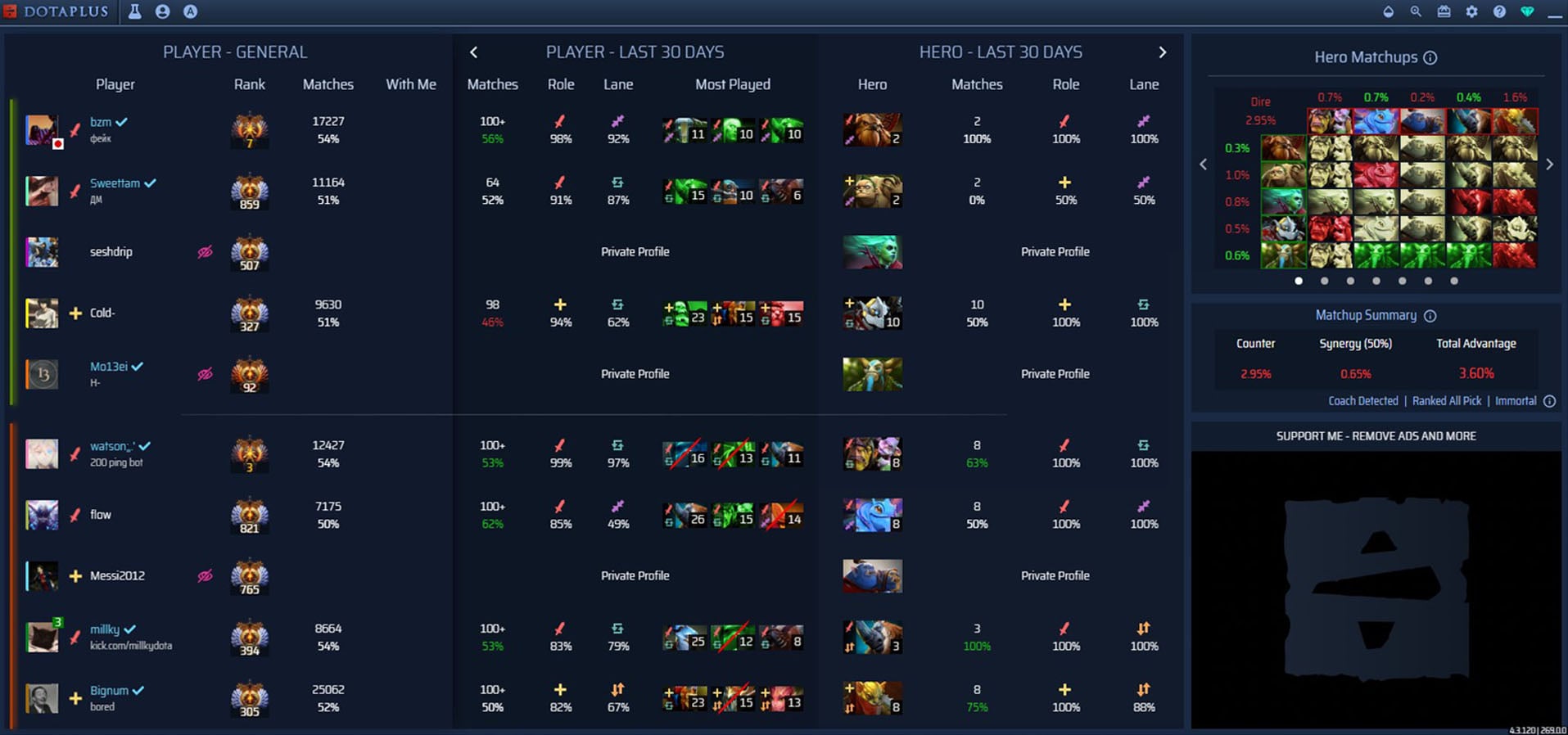

Recent match stats and stats on the picked hero are only available for players with exposed public match data. Some players may have tags like Boost (significant rank change in a short period of time), Smurf (achieved a high rank in a relatively small number of games on the account) and Spam (player “ spams ” one hero). Also you can add text notes to players by hovering over their profile and clicking on the appropriate window.
Your match statistics
In addition to information about players during the match, the extension allows you to view detailed statistics of your account by games in a selected period (from 7 days to a year).
In addition to the basic information that is available in the game client, the following stats are available (by hovering over any of the characteristics you will get additional information):
- The amount of MMR needed to increase the rank in numbers and percentages (in the client only percentages are displayed and updated with a delay, while in the expansion - immediately after the match is over);
- MMR change graph;
- Stats on different roles (MMR change, winrate, best heroes);
- Averages across multiple characteristics in games of the selected period (KDA, damage, healing, games duration, etc.);
- Behavior score changes after a match (in the client updated every 20 games);
- KDA;
- Kills participation;
- Kills participation per 10 minutes of game;
- Deaths Participation (the ratio of your deaths in the game to your team's deaths);
- Deaths Participation per 10 minutes of game;
- Duration of stun and slowdown (in seconds);
- Performance Points - an estimate of your impact in the game.
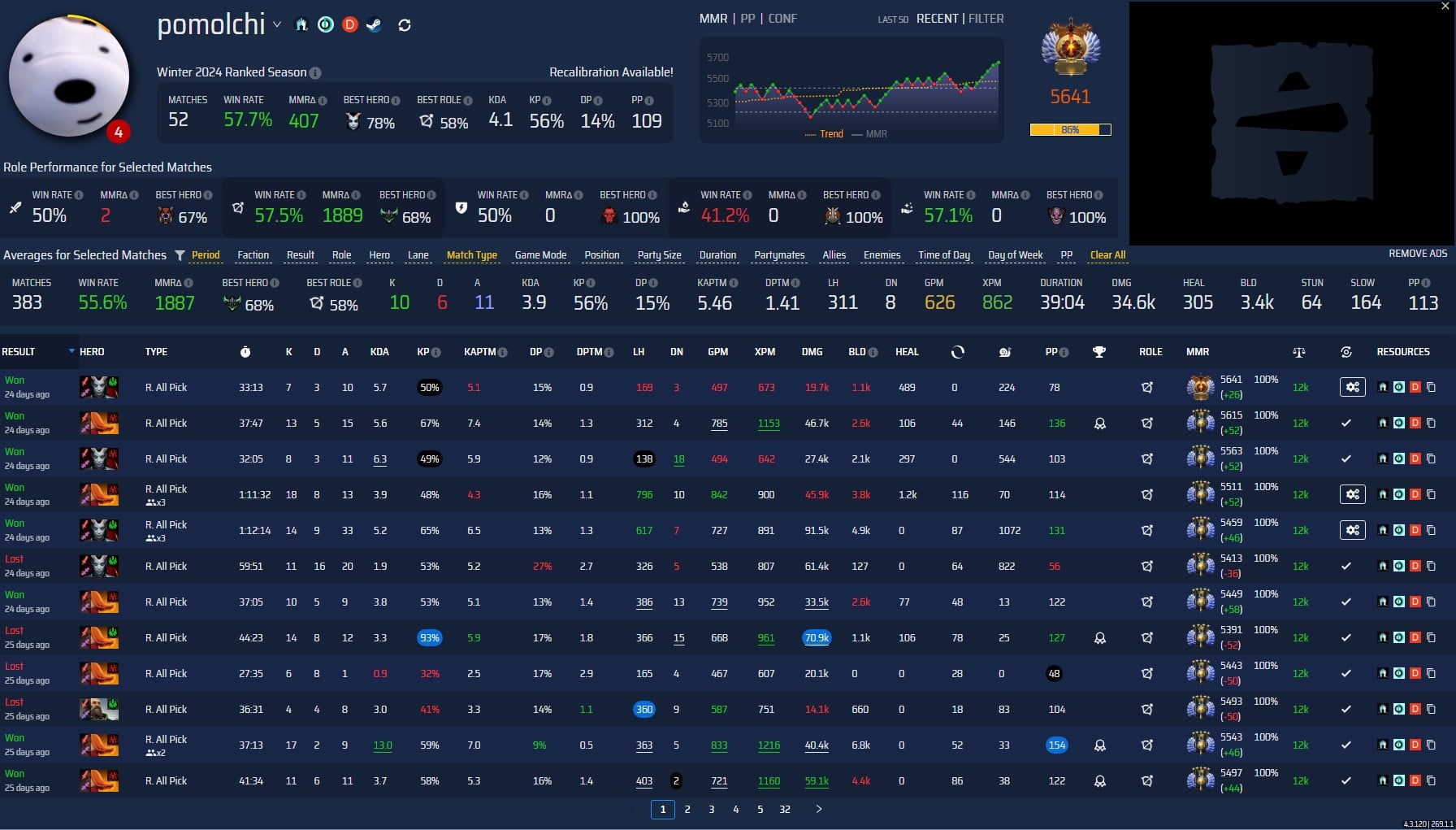
Games can be filtered by a number of parameters and specific matches can be found.
Extras
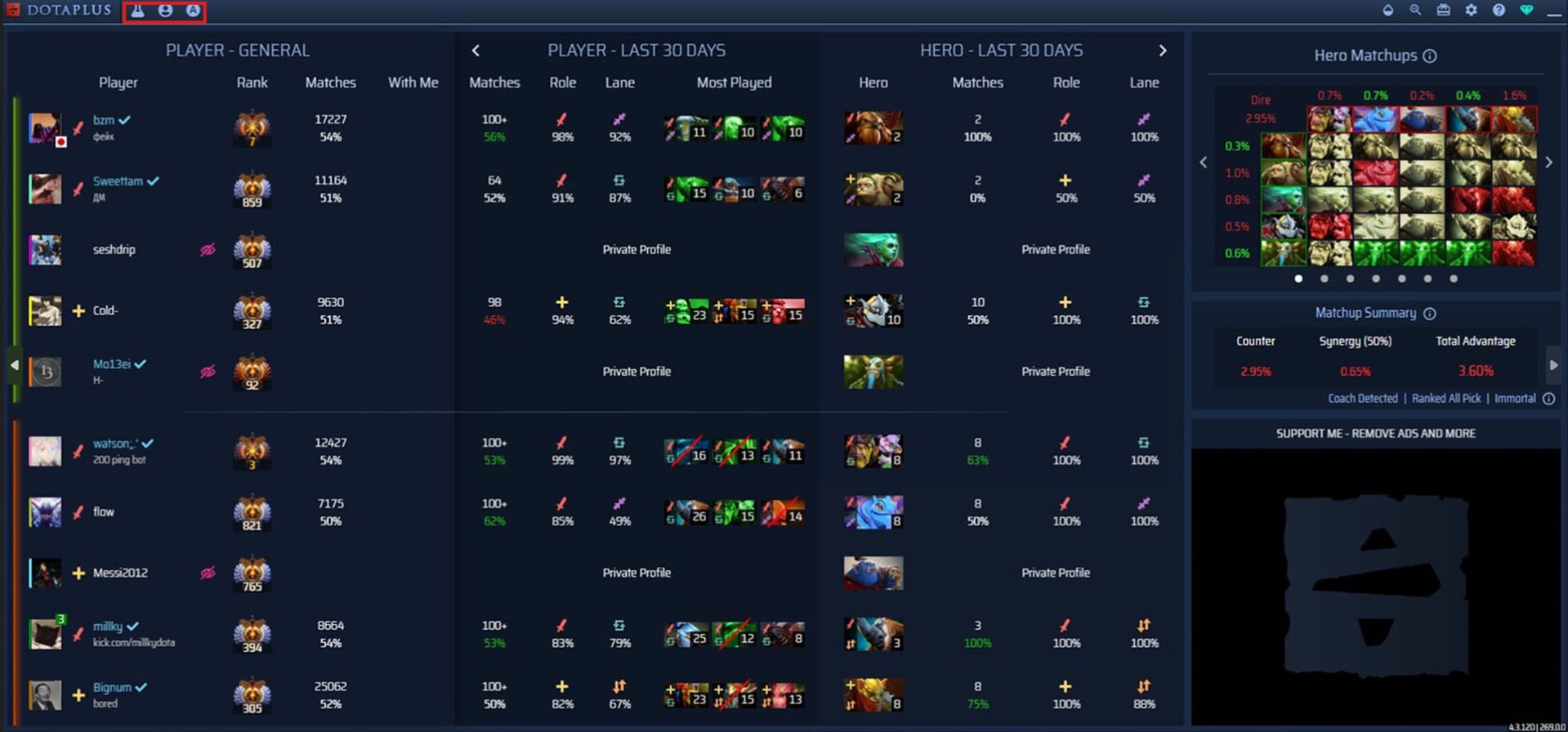
In the extension menu, to the left of the profile stats is the draft practice function, and to the right is the auto accept match function (available once per hour). In the upper right corner are the following options:
- changing the transparency and zoom of the window;
- recent updates;
- settings;
- contact support;
- buy a subscription.

To install the Dota Plus extension, you need to download the Overwolf application. Be careful to use the official website of the platform for installation, and avoid clones of the program, which may contain features that violate the rules of Valve, which can lead to the banning of your account.



by CyberScore